Settings
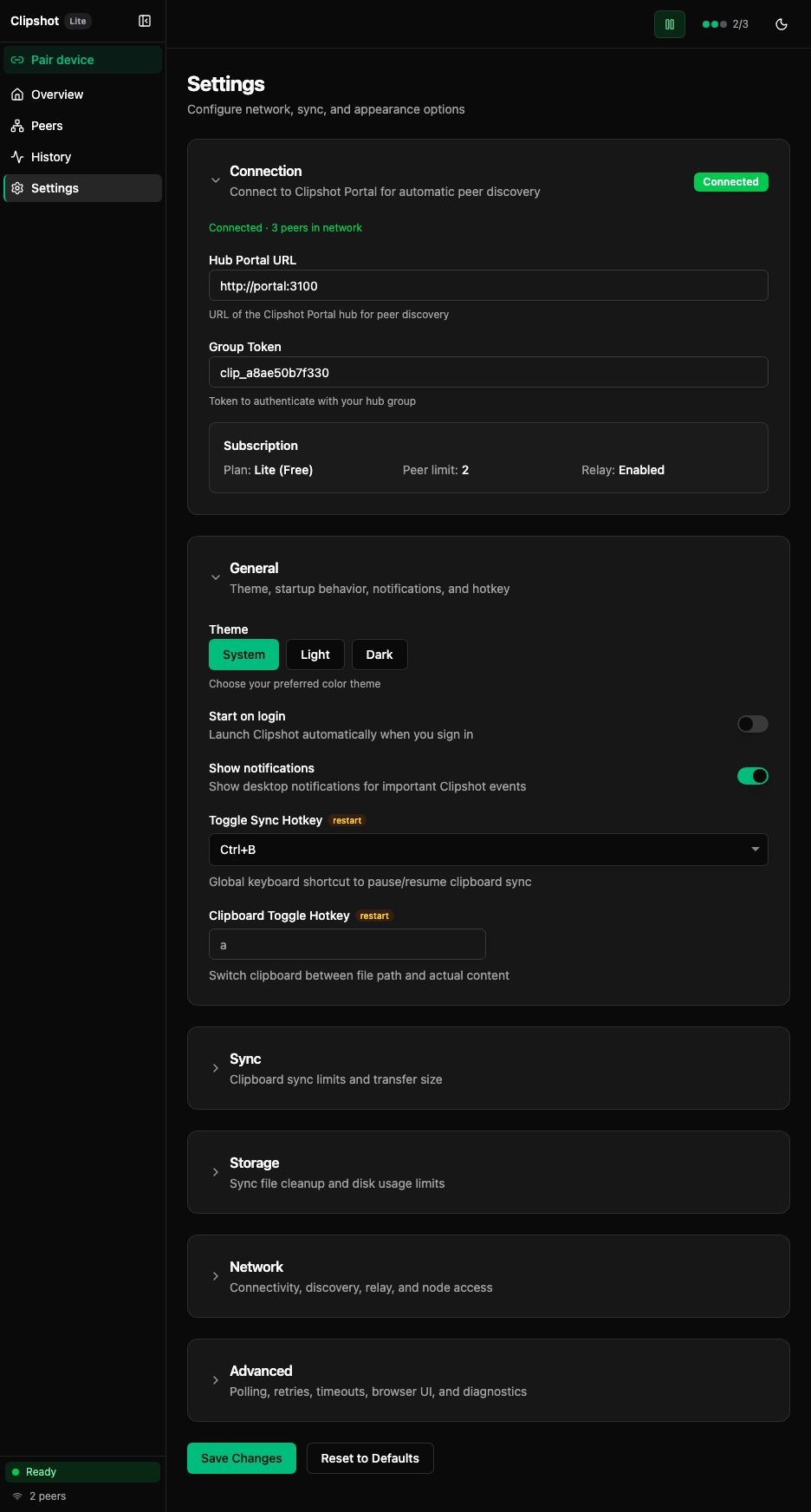
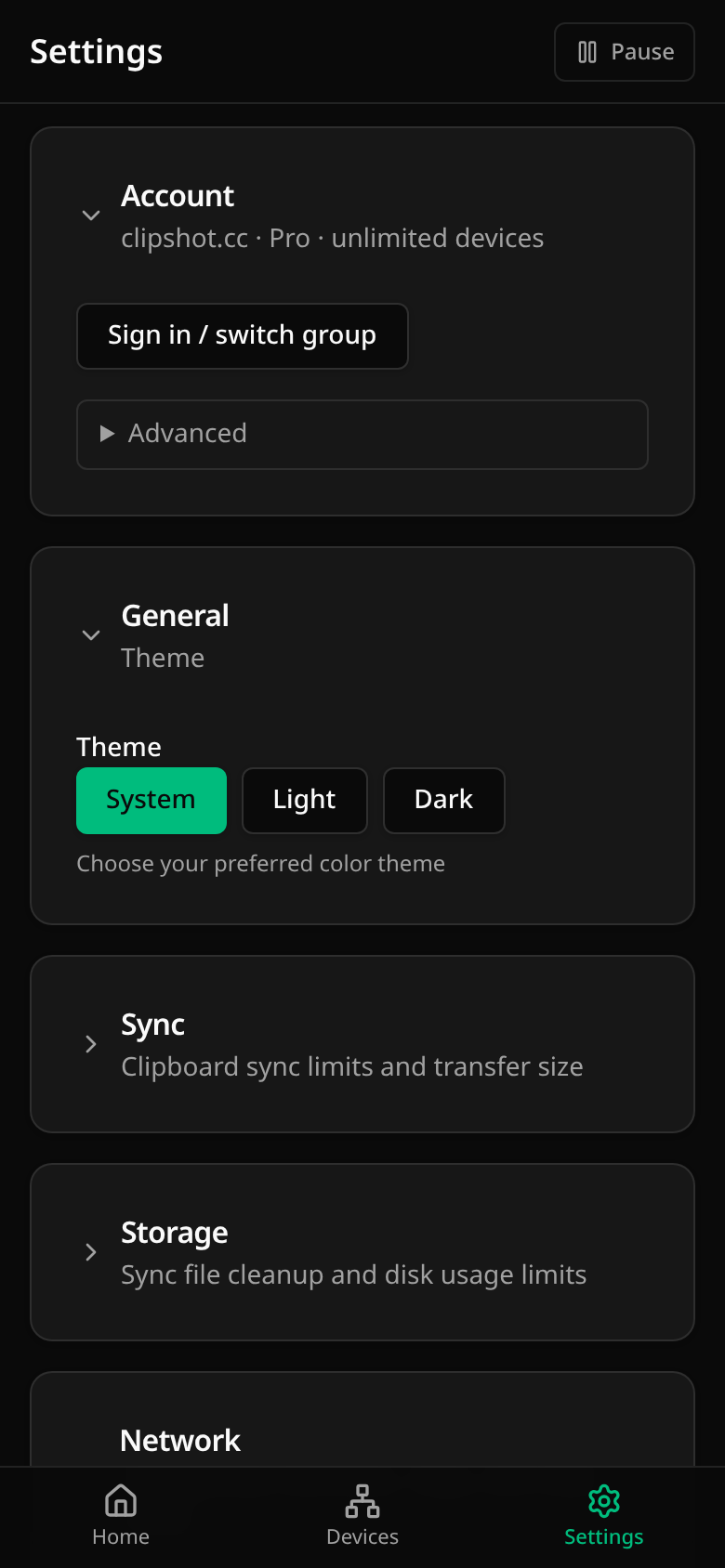
Settings are collapsible cards, in this order: Account, General, Sync, Storage, Network, Advanced, File Transfer. Changes are kept until you press Save; a bar with Discard and Save appears while something is unsaved.
Account
One line says which portal you use and your plan, built from the segments <portal host> · Pro|Lite · <device allowance> and, only when the central relay is enabled, a trailing · relay on. So a Pro device reads clipshot.cc · Pro · unlimited devices, and clipshot.cc · Pro · unlimited devices · relay on once the hub turns the central relay on; a free device reads clipshot.cc · Lite · 3 devices. A badge appears only when something is wrong (Not configured, Disconnected).
- Sign in / switch group — sign in in the browser; if that account’s group is different, Clipshot asks before switching.
- Recover access — shown when the portal is unreachable; the same browser sign-in.
- Advanced — the Hub Portal URL, the Group Token (never shown: it reads Configured — hidden for security) and Link current group to account.
The group token is the key that lets a device into your group. Do not share it.
General
- Theme — System, Light, Dark.
-
On a computer also: Start on login (
auto_start, on for a fresh install), Toggle Sync Hotkey (hotkey, default Cmd+Shift+S / Ctrl+Shift+S) and Paste Path Hotkey (paste_path_hotkey, default Cmd+B / Ctrl+B — pastes the path of the newest synced file). Phones have no login items or global hotkeys, so these rows are not shown there.A note on
auto_start: on is what a fresh install gets (Settings::default()), but the field is loaded with a bare#[serde(default)], so an existingsettings.tomlthat does not contain the key loads it asfalse. If you want it on, writeauto_start = truerather than relying on the key being absent. (auto_discoverhas the same split.)
Notifications (notifications)
notifications (src/p2p/control/settings.rs, default_notifications() = true) turns Clipshot’s own desktop notices on and off. Unlike the rows above it has no control on this page — the General card renders Theme, Start on login and the two hotkey rows, nothing else. Change it in settings.toml, or over the API: it is one of the fields POST /api/settings accepts (see the API reference).
How the paste path hotkey delivers the path (paste_path_mode)
The paste path hotkey has a second setting behind it that has no control on this page: paste_path_mode (src/p2p/control/settings.rs), a string that is either "type" or "clipboard". default_paste_path_mode() returns "type" on Linux and "clipboard" on every other platform, so the same Cmd+B / Ctrl+B press does two different things depending on your OS:
type(Linux default) — the path is sent as keystrokes and the clipboard is never touchedclipboard(macOS / Windows default) — the clipboard is written twice per press: first the path, then your previous content restored. On a desktop with a clipboard manager that leaves two entries in your clipboard history per press and races the manager for ownership in between (KDE ships Klipper inside plasmashell) — which is why Linux defaults to typing instead.
clipboard stays available for apps that transform typed input (autocomplete, IME) and for paths containing characters the active keymap cannot type. If typing fails, Clipshot falls back to the clipboard route automatically rather than delivering nothing.
The field is not settable over HTTP (POST /api/settings has no such field) — change it in settings.toml.
Sync (max_file_size_mb, broadcast_queue_size)
The Sync card includes:
- Max file size (MB)
- Broadcast queue size
What they mean:
- Max file size limits what Clipshot will send. The input on this page accepts 1-500 MB (default 10 MB); the HTTP API validator is wider (
1..10240), so values above 500 MB can only be set throughPOST /api/settingsorsettings.toml. - Broadcast queue size controls how many clipboard items are queued for delivery (1-10, default 1). At 1, a new copy overwrites the previous pending item. Higher values keep recent items in the queue.
If you set a file limit above 100 MB, Clipshot warns that large files may time out.
Storage (sync file retention)
The Storage card includes:
- Max files - maximum number of files to keep in the sync directory (0 = unlimited). Input range 0-10000, default 100.
- Max age (days) - delete synced files older than this many days (0 = unlimited). Input range 0-365, default 30; the HTTP API accepts up to
3650. - Max size (MB) - maximum total size of the sync directory (0 = unlimited). Input range 0-10000, default 200; the HTTP API accepts up to
100000.
These settings control automatic cleanup of ~/.clipshot/sync/.
Where the input range is narrower than the API range, the higher values are reachable only via POST /api/settings or settings.toml — see API reference.
Network (listen_port, max_peers)
The Network card includes:
- Listen Port
- Max Peers
- Auto Discover switch
- Relay URL
- Act as relay for other devices switch (
peer_relay_enabled) - Use public relay fallback switch (
n0_relay_enabled) - a read-only Central relay status line (Enabled/Disabled, Pro-only — hub-authoritative)
- Node Password
What they do:
- Listen Port is the port this device listens on for P2P traffic (input range 1024-65535, default 19231)
- Max Peers caps simultaneous peer connections (input range 1-100, default 10; the HTTP API validator allows
1..1000, so higher caps must be set viaPOST /api/settingsorsettings.toml) - Auto Discover enables local network discovery
- Relay URL is used for NAT traversal and long-distance fallback
- Act as relay for other devices lets other devices in your group relay traffic through this node
- Use public relay fallback falls back to the public iroh relay when a direct connection fails
- Node Password protects your node so only devices with that password can connect
Invalid listen ports are highlighted immediately.
Reconnect all devices at the top of this card drops and re-dials every device.
Advanced (polling, browser UI, diagnostics)
The Advanced card includes:
- Poll Interval (ms) — how often the clipboard is checked for changes. The input on this page accepts 100-10000 ms in steps of 100 (default 500 ms). Over HTTP the same field is called
sync_interval_msand is validated as100..3_600_000, so longer intervals are reachable only via the API orsettings.toml— the two ranges do not contradict each other, the UI is simply the narrower surface. - Direct Send Threshold (MB) — below this size content is sent directly without chunking (input range 1-100, default 1; requires restart)
- Use Browser UI switch — use the web browser instead of the native app (requires restart)
The card also contains the Diagnostics subsection described below.
Diagnostic telemetry (diagnostic_telemetry)
Clipshot has one reusable opt-in switch for its own diagnosis logging: diagnostic_telemetry (src/p2p/control/settings.rs), default false. When enabled, the extra investigation-aid log sites are emitted; they are deliberately off by default because they are investigation aids rather than user-facing diagnostics.
It can be turned on in three ways:
diagnostic_telemetry = trueinsettings.toml- the Diagnostic telemetry switch in Settings → Advanced → Diagnostics, saved with Save
- the environment variable
CLIPSHOT_DEBUG_TELEMETRY=1
It cannot be set through POST /api/settings — remote enablement would amplify log volume, so UpdateSettingsRequest has no field for it and such a request silently no-ops on this key. See the API reference list of fields not accepted over HTTP.
Export / Import
Export Settings and Import Settings sit inside the Advanced card, in a button row directly below the Diagnostics subsection:
- Export Settings downloads the current settings as
clipshot-settings.json - Import Settings loads settings from a JSON file
Import does not apply changes immediately. After import, click Save.
Diagnostics
The Diagnostics subsection at the bottom of the Advanced card shows live runtime information. Each row has its own copy button.
Fields: Node Name, Node ID, Uptime, Iroh Address, Version, Hub Status, Port, and Peer Relay when this device relays for others. Below them, the Diagnostic telemetry switch.
Use this section when:
- support asks for your node ID
- you want to verify the app is connected to the hub
- you need your device address for manual pairing
File Transfer (auto_accept_files, received_files_dir)
File Transfer is the last card on the page, below Advanced — the same order the cards are rendered in web/src/pages/SettingsPage.tsx. It controls how incoming file transfers (Pro feature) are handled:
- Auto-accept files switch - when enabled (default), incoming files are saved automatically; when disabled, a notification prompts you to accept or decline
- Received files directory - where incoming files are saved. The default is
~/.clipshot/receivedon desktop platforms; on iOSdefault_received_files_dir()(src/p2p/control/settings.rs) returns~/Receivedinstead, which resolves into the app container’s Documents folder — the one place the Files app shows — so received files are reachable under Files → On My iPhone/iPad → Clipshot → Received. See Phones and tablets.
A phone’s clipboard is not a setting
There is no switch for mirroring a phone’s clipboard, and the former mirror_mobile_clipboard key is gone from settings.toml (an unknown key is ignored on load). The platforms decide this: Android 10+ lets an app read the clipboard only while it is on screen and iOS has no background process, so the daemon ingests from a phone only what was shared into Clipshot (crate::mobile_ingest::may_ingest_from_phone); a bridge post carrying origin=system is answered 200 with an ignored note and nothing travels. The shipping pipeline is share-a-file plus Ctrl+B on the desktop, where the file is already local and the hotkey pastes its path. See Phones and tablets.