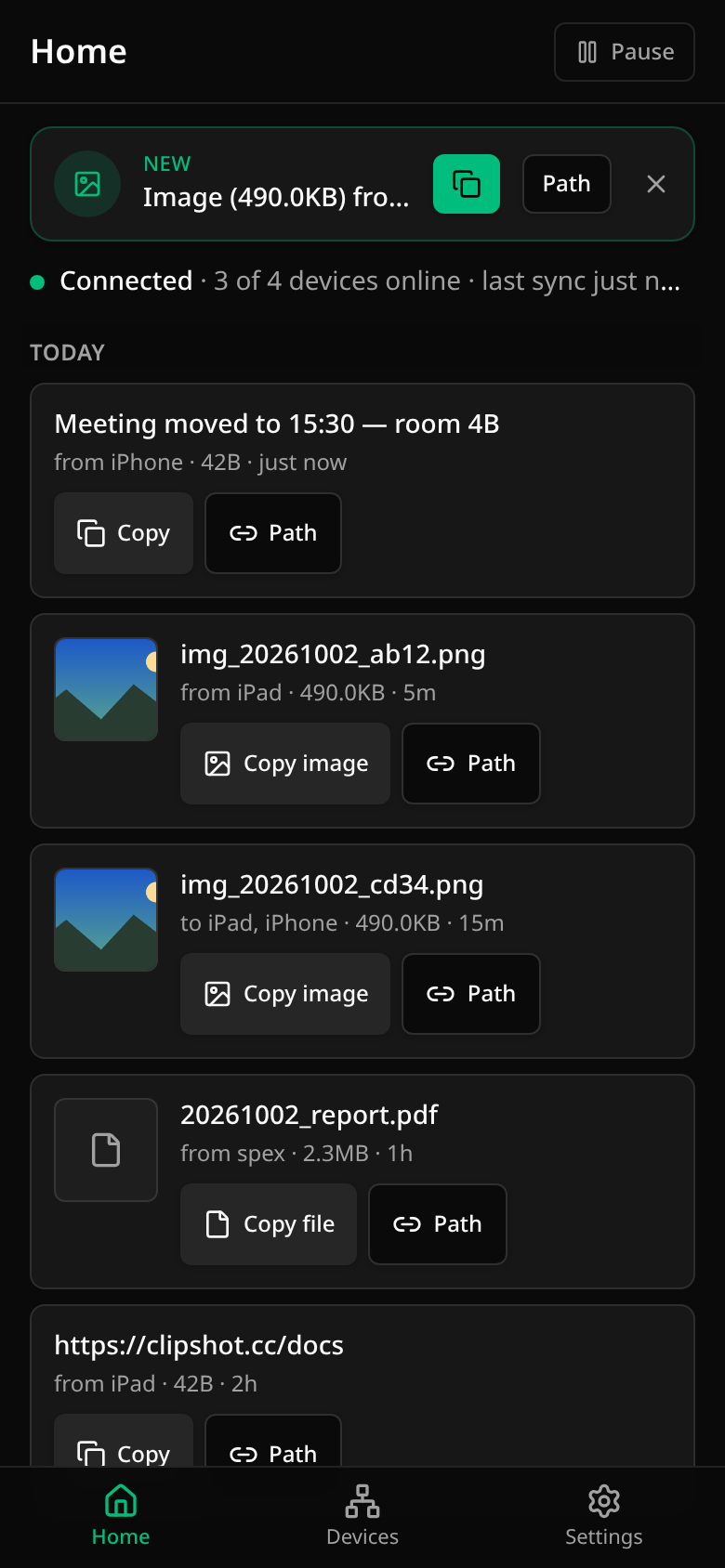
Clipshot has one interface on every device — desktop app, browser mode, iPhone, iPad and Android. The layout adapts to the screen: a side rail on a wide screen, tabs at the bottom on a phone. The sections, their names and what you can do with an item are the same everywhere.

Three sections:

  • Home — whether you are connected, and everything that was synced, newest first
  • Devices — your devices, adding a new one, sending a file
  • Settings

Home on a phone: the newest arrival offered at the top («Image (490.0KB) from …» with the copy button and Path), then the feed — text rows with Copy and a stale Path button (the fixture artefact noted above; a text never offers Path), picture rows with Copy image and Path, a file row with Copy file and Path


Table of contents


Back to top

Clipshot — P2P clipboard sync across your devices.

This site uses Just the Docs, a documentation theme for Jekyll.