Clipshot on a phone or tablet is a member of the same group as your desktops, but a phone is not a desktop, and the app does not pretend otherwise. Two rules follow from what the platforms allow.
Phone → desktop: Share → Clipshot
Android 10+ lets an app read the clipboard only while it is on screen, and iOS has no background process at all. So a phone’s own clipboard is never mirrored — “copy on the phone, paste on the desktop” would work only while Clipshot happened to be open, and silently do nothing otherwise.
Instead, send from any app with the share sheet: Share → Clipshot. Text, an image, or any file travels to the group exactly like a desktop copy; on the desktops the item is saved under ~/.clipshot/sync/ and Cmd+B / Ctrl+B pastes its path (see shortcuts).
On iOS the share sheet sends from the extension itself, so the app does not need to be running. A raw image with no encoded file behind it (some screenshot editors, apps passing a bare bitmap) is tried in the extension first; if iOS kills that attempt for memory, the next such share opens the Clipshot app and asks you to pick the picture from Photos, which then goes out at full size.
A shared link (Maps, Safari, a message) arrives as the text you shared, or as the URL itself when the app put no text next to it — the link is what a place or a page share means. Text and link are never glued together; if the app offered nothing but blanks, the sheet says so and names what was offered instead of closing quietly.
Desktop → phone: an arrival is an offer
Arrivals from your desktops reach the phone in the background and are offered, not written to the pasteboard. The pasteboard on a phone changes only by your own act:
- Your own send — after a share from the phone, the pasteboard gets the group path (
~/.clipshot/sync/<name>) as soon as the first desktop has the item. Your next step is usually Ctrl+V on a desktop, and the file must already be there. - A tap on the offer — in the app a bar reads «Image (1.2 MB) from main» with one act: Copy image for a picture (the picture itself, which is what an app on the phone pastes), Copy for a text, Copy file for a file. Copy path is a second, smaller act next to a picture, and only while the group has a computer to paste that path on. «from» names the device that made the item, not the one that happened to relay it (an author your phone does not know reads «… (forwarded)»). On Android the notification in the shade carries the same acts — an image notice shows the picture and offers Copy image / Copy path — so you do not need to open the app.
- Bringing Clipshot to the front — the newest offer is applied, but only if it arrived after the last thing you put on the pasteboard yourself. A tie keeps your own write. Since v0.8.87 an applied take says so: a toast reads «Path copied — image from iPhone» (with the group path under it), «Text copied — from …», or «Image copied — from …» on Android, and the offer bar hides itself on success. The foreground pass has no tap of its own, so before that a copy and nothing at all looked the same.
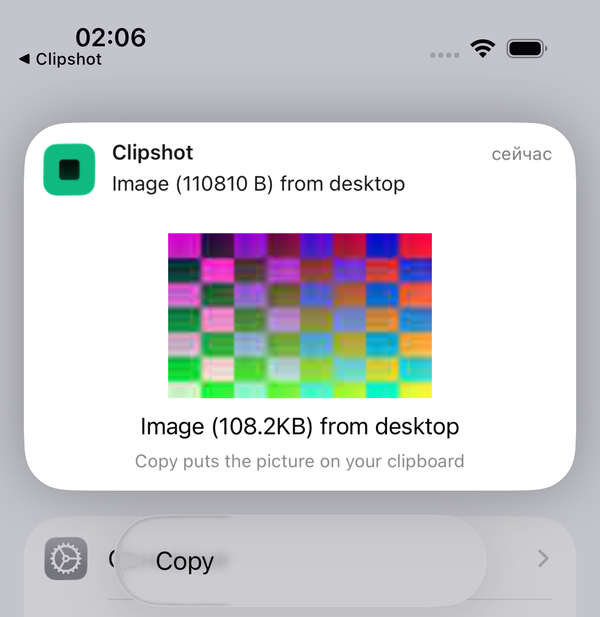
- Copy from the notification (iOS) — long-press (or pull down) the «Image (1.2 MB) from main» notice and the card under it shows that arrival — for a picture, a small preview of it — with a Copy button. A text goes onto the pasteboard as text. A picture is copied as the picture when its bytes are already on the phone; a path is never put on a phone’s pasteboard. If the bytes are not here yet and your group has a computer, Copy waits briefly for them and then opens Clipshot, whose own pass puts the picture on the pasteboard. If your group is phones only, the card says «Waiting for <sender>», opens Clipshot, and Home there shows the item as waiting until the sending phone’s app is running and the bytes cross. Nothing is copied by merely expanding the notice — the tap is the act. The notice names exactly one item, and the card copies exactly that one — never something newer that landed a moment later. If it has not reached the phone yet, the card says «Arriving…» and keeps watching for it (about 20 s while open); a Copy tapped during that wait copies the item the moment it lands (up to 8 s), and only past that opens the app instead. A received file that is not an image says «Saved in Files → Clipshot → Received». Before the first unlock after a reboot the card cannot read what it needs and says «Unlock to copy». iOS permits this only while the card is on screen (a plain notification button runs the app in the background, where iOS drops pasteboard writes). Verified on an iPhone 15 (iOS 26). If banners do not appear, check a Focus mode (Sleep hides them). Whether it works on the lock screen before the first unlock is not yet measured. (A notice from an older Clipshot server carries no item identity; the card then shows the newest arrival of the last minute and says «Still arriving — open Clipshot» otherwise.)
An arrival by itself never overwrites what you copied. Offers are kept across an app relaunch, so a screenshot that arrived while the app was closed is still one tap away. An item this phone knows about but has not received yet is shown as a waiting offer («Waiting for Pixel — open Clipshot there»): it has no act of its own, and it disappears when the item lands, or after ten minutes. What changes when the group has no computer at all is on its own page: A group of phones only.
 A second delivery of the same item — a catch-up re-offer during a reconnect, say — leaves a completed offer alone (v0.8.87), so Copy still has the file it was offered.
A share from a phone wakes the other phones (v0.8.87)
On iOS the share sheet sends from the extension, which has no hub connection of its own, and only an item’s author ever told the hub about a new item — so until v0.8.87 a share straight from the sheet produced no notice for anyone (measured 2026-09-27: six iPhone shares, zero notices on a suspended iPad). Now the desktop or server that accepts the item announces it for the author, and only when the item is new there — a duplicate or a retry is not a second notice. The notice names the device that made the item («from iPhone»), not the one that relayed it, and the author is never woken about its own share. Phones never announce for anyone (a phone is not a host).
Desktops are unchanged by this: text still replaces text there, and images stay behind Cmd+B / Ctrl+B.
A phone is not a host
“Delivered” means delivered to a host — a desktop or server where a path can be pasted. When you share from a phone and only another phone took the bytes, the share sheet says so instead of reporting success, and the item is held for the app to send later. Phones still receive as ordinary group members; they just do not count as a destination.
In the Devices list a phone that is under transport quarantine is shown as Asleep (“Phone is asleep; it will catch up when awake”), not as a degraded host, and clipshot doctor does not prescribe transport repair for it.
Received files on iOS
An image received on iOS is offered like everything else. A non-image file cannot be pasted as a path on iOS, so it is not offered to the pasteboard: find it in Files → Clipshot → Received.
Limits stated
- The iOS share extension resumes a big item (8 MiB and up) after a dropped connection within the time the sheet gives each device, like desktop-to-desktop sends (see How sync works); it does not wait for a busy device — it tries the next one. Items under 8 MiB restart from the beginning after a drop. A share the extension could not finish is not kept for later when it is over 4 MB: the sheet asks you to share again, and the item is continued from where it stopped — by your second send, or by the forward from the device that already got it.
- iOS notices are passive, and a notice does not fetch the item. The hub’s notice is a row in Notification Center («Image (1.2 MB) from main»; the newest replaces the one before it), with no banner and no sound — and iOS decides entirely on its own whether to run a suspended app for it. Measured on an iPhone 15 and an iPad, both suspended: nine notices, zero wakes; a silent background push woke nothing either, and even alerting pushes were deferred after a burst. So no background delivery is promised: the item lands when Clipshot is opened (catch-up, about 1–3 s, then the foreground pass), and until then the expanded notification card (item 4 above) is what you copy from. What the notice itself carries, end-to-end encrypted: a text of up to 2.6 KB as-is and up to 64 KB compressed — that one needs neither the app nor the network; a picture’s name and a small preview thumbnail, but not its bytes — Copy is self-contained only once the picture has reached the phone, and otherwise hands over to the app (or names the sender it is waiting for, in a group of phones only); a file’s name only. A text too large to compress into the payload budget, and an image’s or file’s actual bytes, arrive when the app runs.